Plan the season. Build your swim workouts. Track progress.
- PlanThe season, competitions and training goals.
- BuildWorkouts, from sets and reps to intensities.
- AssignWorkouts for groups and swimmers.
- TrackAttendance, times and how each session goes.
- AnalyzeResults and each swimmer's progress.
Know where your preparation stands, every week
Swim training planning starts from the season's competitions. You set what you want to achieve by the main meet, split the preparation into weeks and follow the planned volume. When something changes, you reorganise the phases without rebuilding the whole plan.
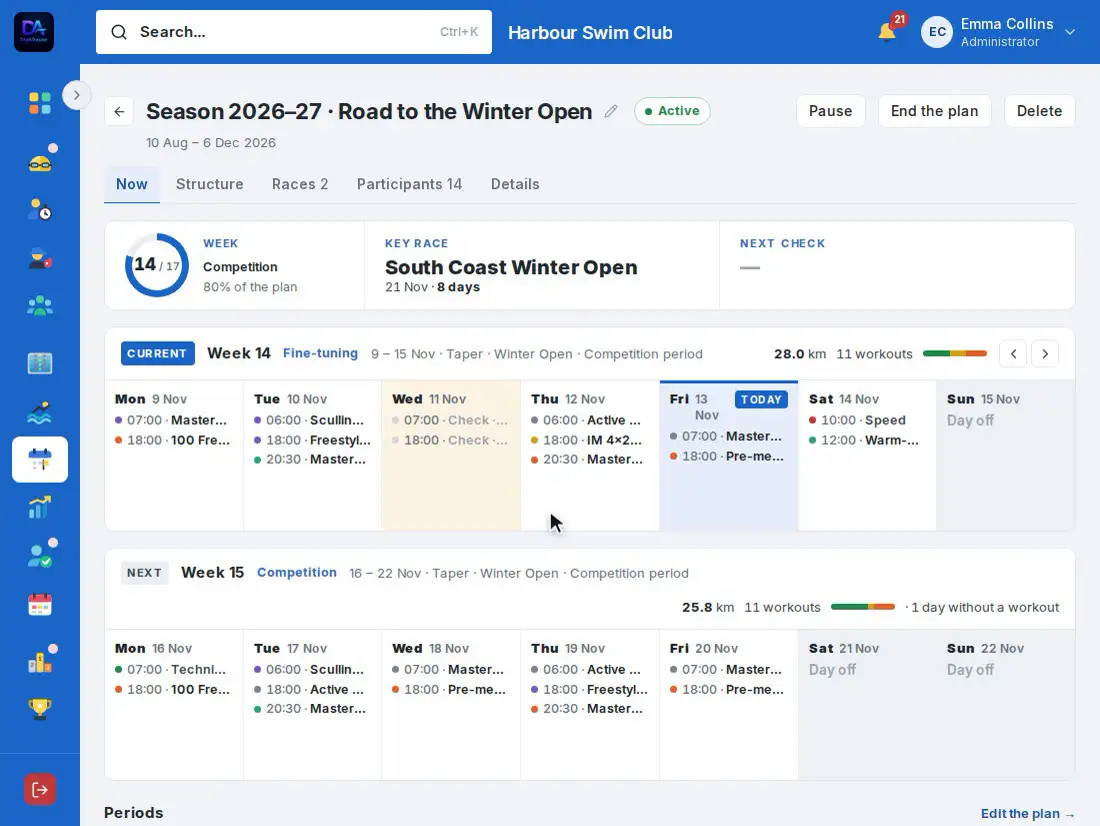
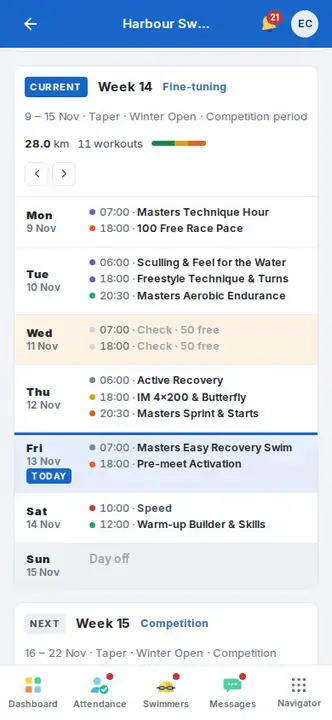
- Meets and goals — Pick the main competition and set checkpoints along the way, such as a 400 free test.
- Week-by-week preparation — See the planned kilometres for this week and the next, within each mesocycle.
- From plan to pool — Plan days are linked to the sessions in the schedule, where you follow the workouts and swimmers' results.
From the plan to the workout in the pool.
You build workouts with sets, reps, intensities and equipment, keep them in the club library and assign them to groups and swimmers.
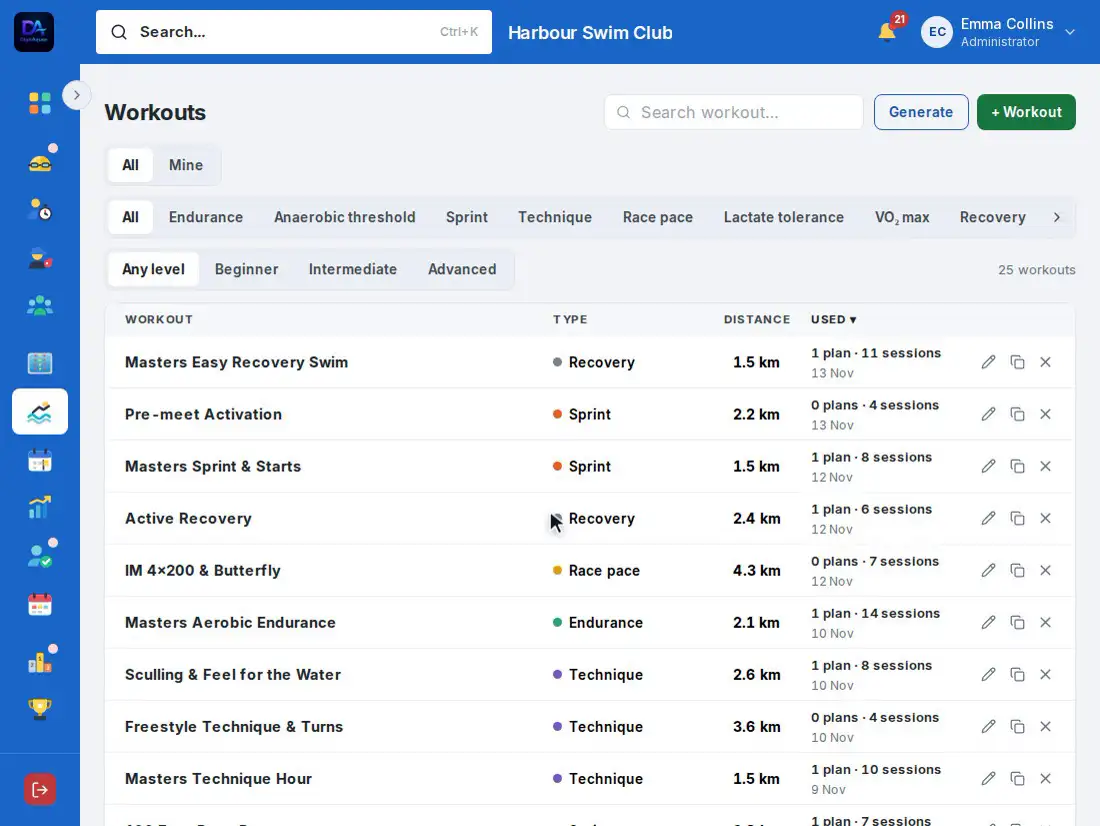
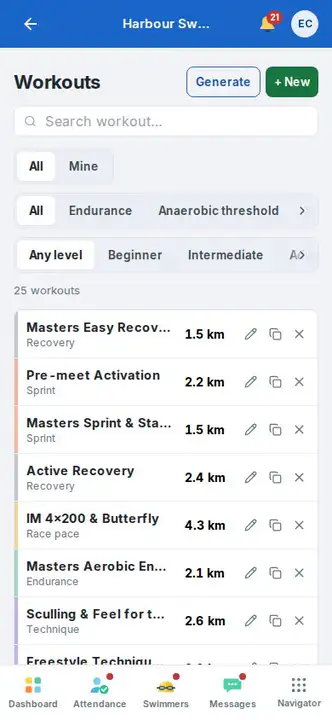
- Club library — Workouts stay in one place, ready to reuse.
- Automatic sessions — Plan days with hours in the Schedule get sessions automatically.
- The version swum — If you edit a workout later, the version your swimmers swam is kept.
- On the watch — Workouts can be sent to the swimmer's watch.*
* Available for Apple Watch and Garmin watches.
Everything that happened at practice, on record
Straight from your phone, you follow attendance, times and notes for each swimmer. Record times at the pool or take them from watch activities, then compare them with earlier results to see the progress from one practice to the next.

- Attendance at the pool — Mark the swimmers present at each session.
- Times and activities — Times recorded by the coach and those from the watch appear separately in the swimmer's history.
- Compare results — See how a swimmer did on the same set or event compared with earlier practices.
- Feedback and RPE — Add your notes after the session, and swimmers rate their effort on a scale from 1 to 10.
Time your swimmers right from the pool deck
In Live mode, you follow every swimmer's times from the tablet, for any set of the workout. Move on to the next set while other stopwatches keep running, and correct times on the spot without interrupting the session.

Timed test sets
Run test sets for events such as the 50 free or 200 IM, with swimmers assigned to lanes and split times when you need them. Results go straight into the times history and personal bests.
- Individual stopwatches — Start and stop each swimmer's time, whatever set they are swimming.
- Sets in parallel — Move on to the next set without stopping the others' stopwatches.
- Correcting times — Fix a mistimed result right in the session.
- Lane test sets — Choose the pool length, assign swimmers and record results, including splits.
Plan your next season
in DigitAquos.
From the main competition and weekly planning to workouts, test sets and pool times. Follow what was done in every session and how swimmers progress through the season.